A reading companion that only knows what you’ve read.

Add your books, tell CaraLore where you’re up to, and ask about characters, places and events. Answers only use the pages before your position, so nothing gets spoiled.

Coming soon

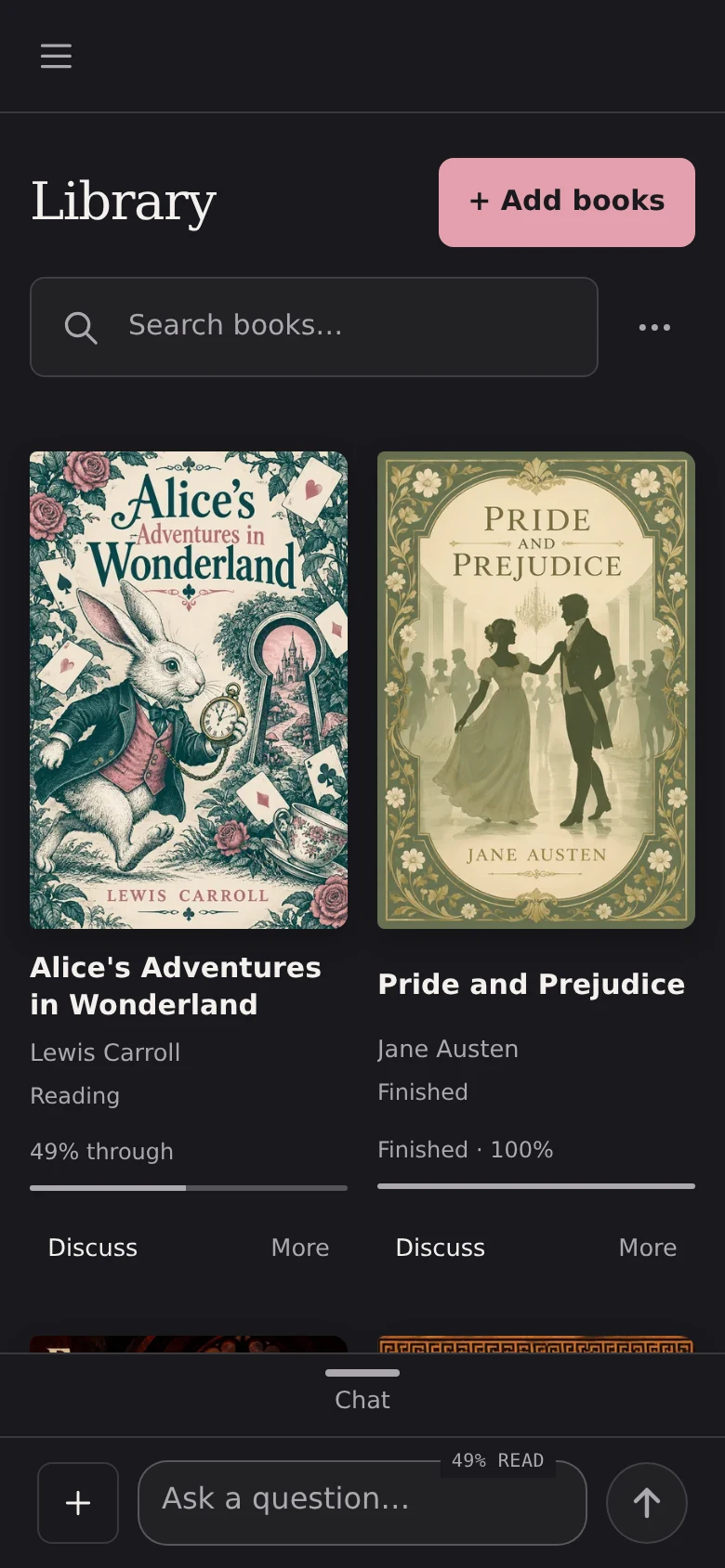
A CaraLore library on a phone, with book covers and reading progress.
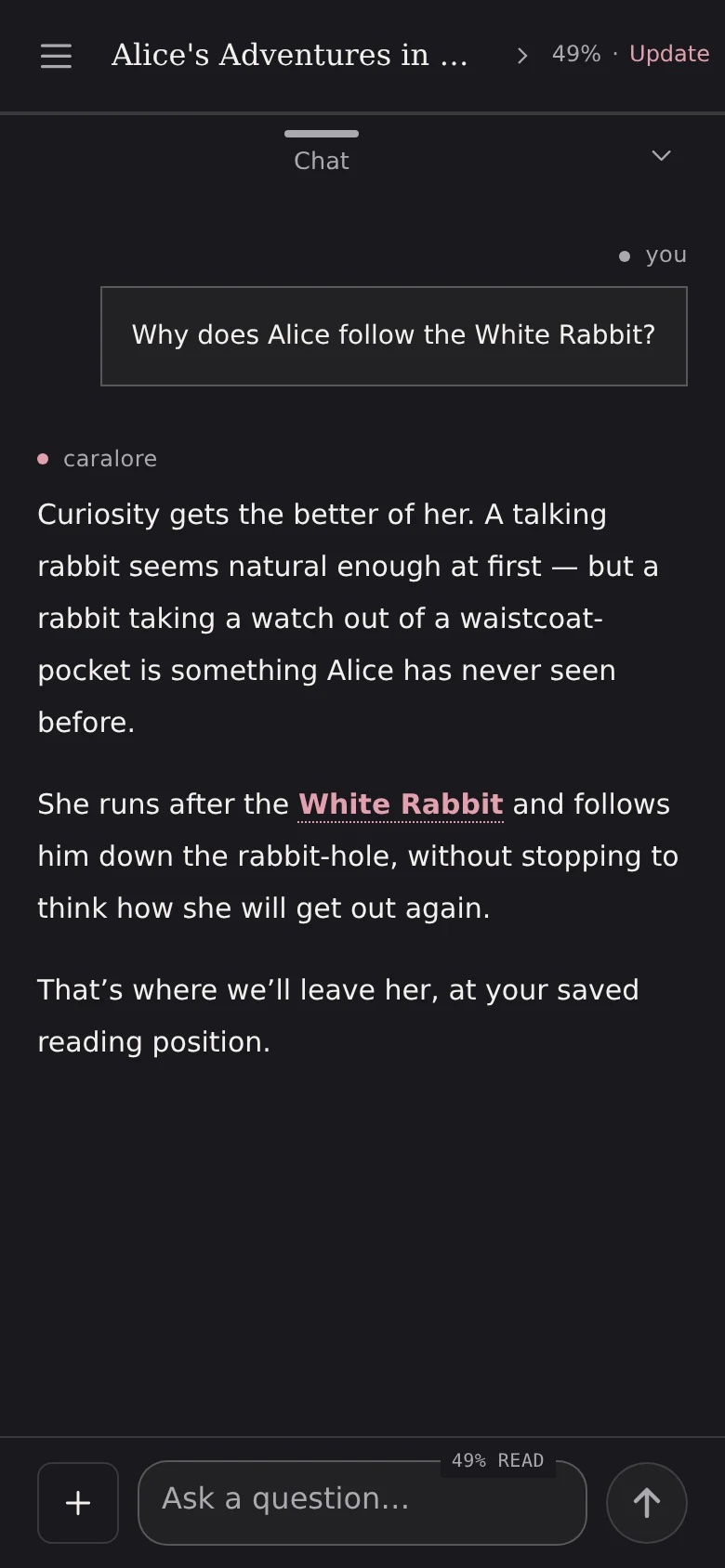
CaraLore Chat on a phone, answering why Alice follows the White Rabbit, using only the story so far.
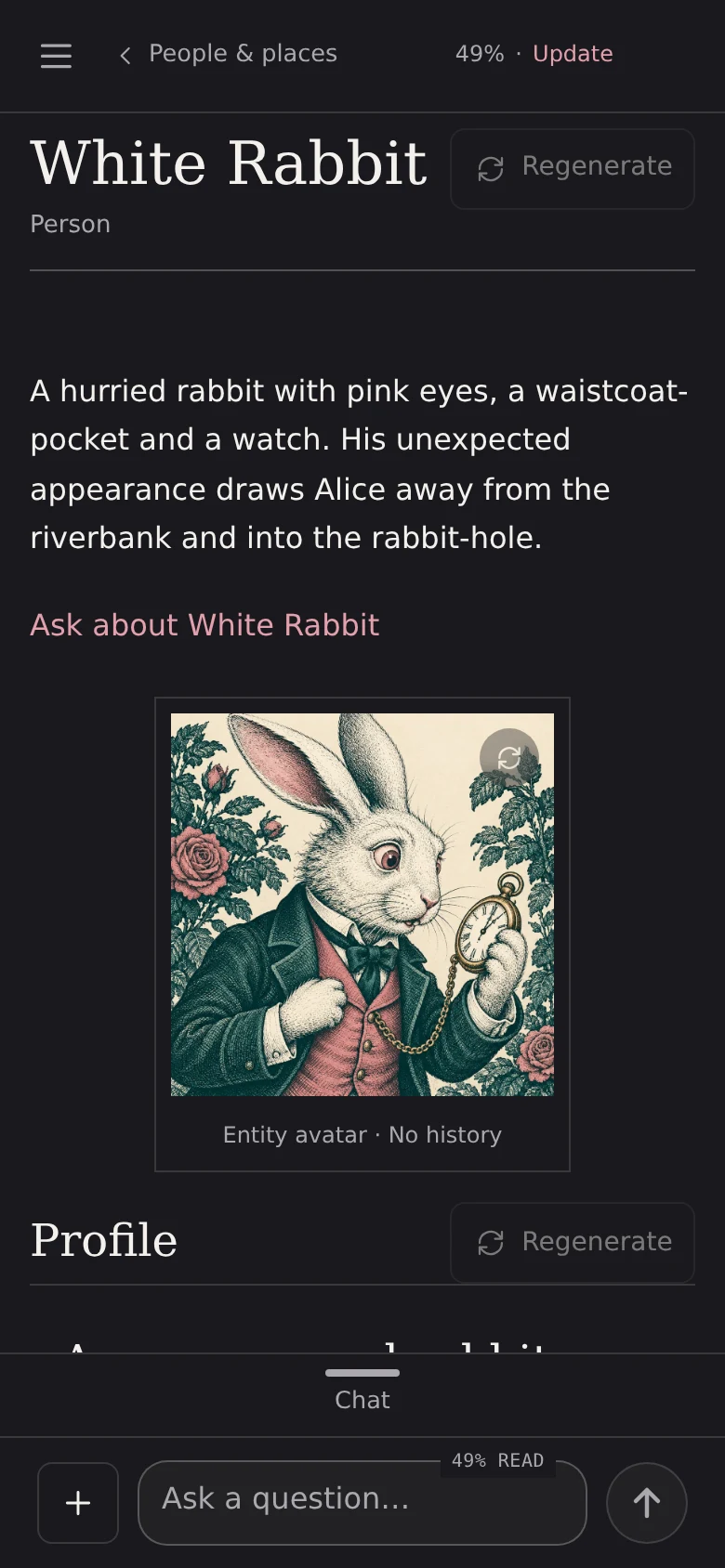
The White Rabbit’s wiki entry on a phone, with a generated portrait, written from the opening of Alice.
Actual app on a phone · public-domain titles with generated cover art · illustrative conversation, entry and portrait

Ask questions

Ask about the story so far.

Ask about a character, a place or something that just happened. Answers come only from the text before your saved position.

  • Tell it where you are with a chapter, page number, quote or photo of the page.
  • Conversations are saved, so you can come back to them.
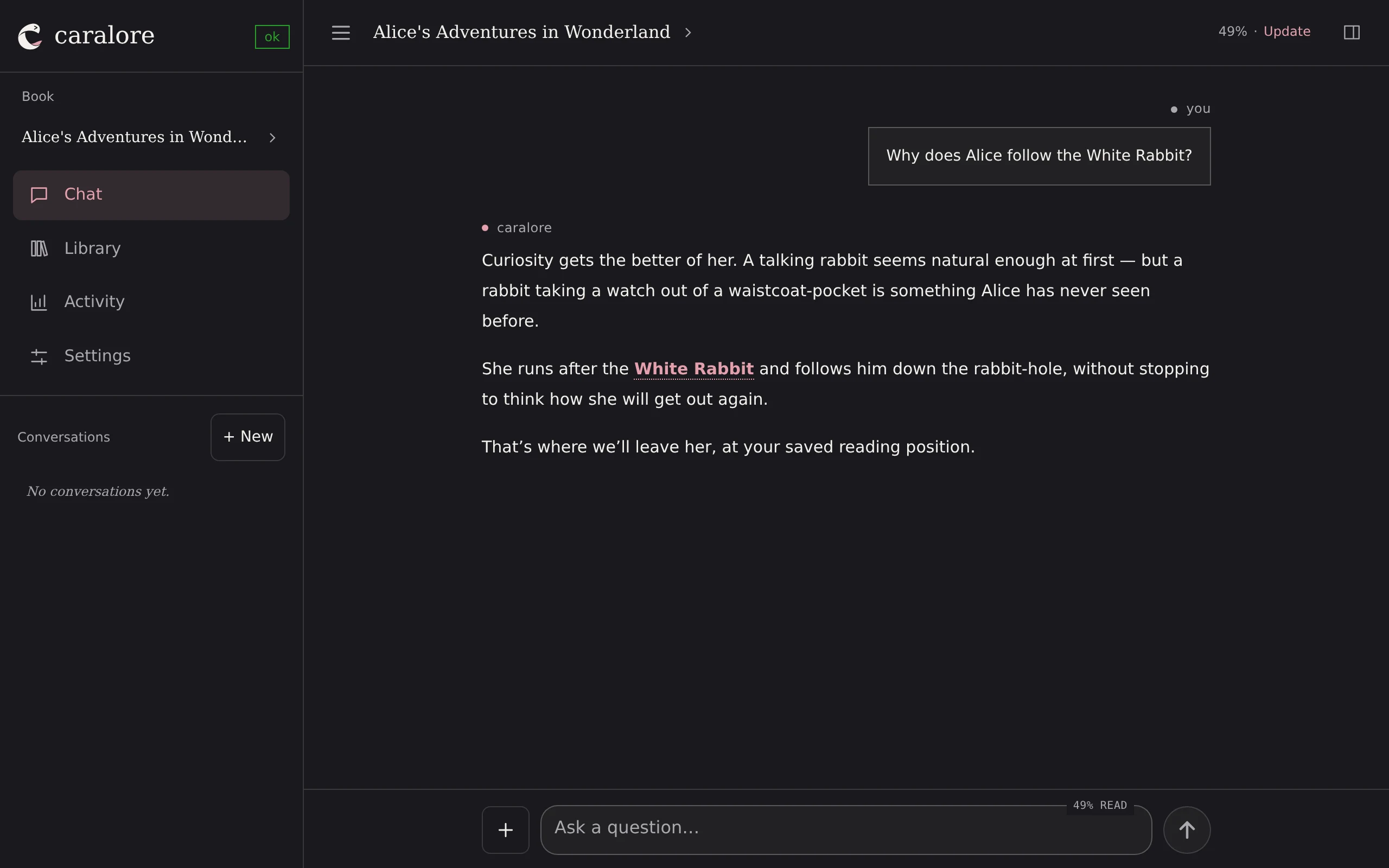
CaraLore Chat on desktop answering why Alice follows the White Rabbit, using only the story so far.
The same Chat on a phone.
Actual app on desktop and phone · illustrative conversation. AI can make mistakes.

Library

Keep your books in one private library.

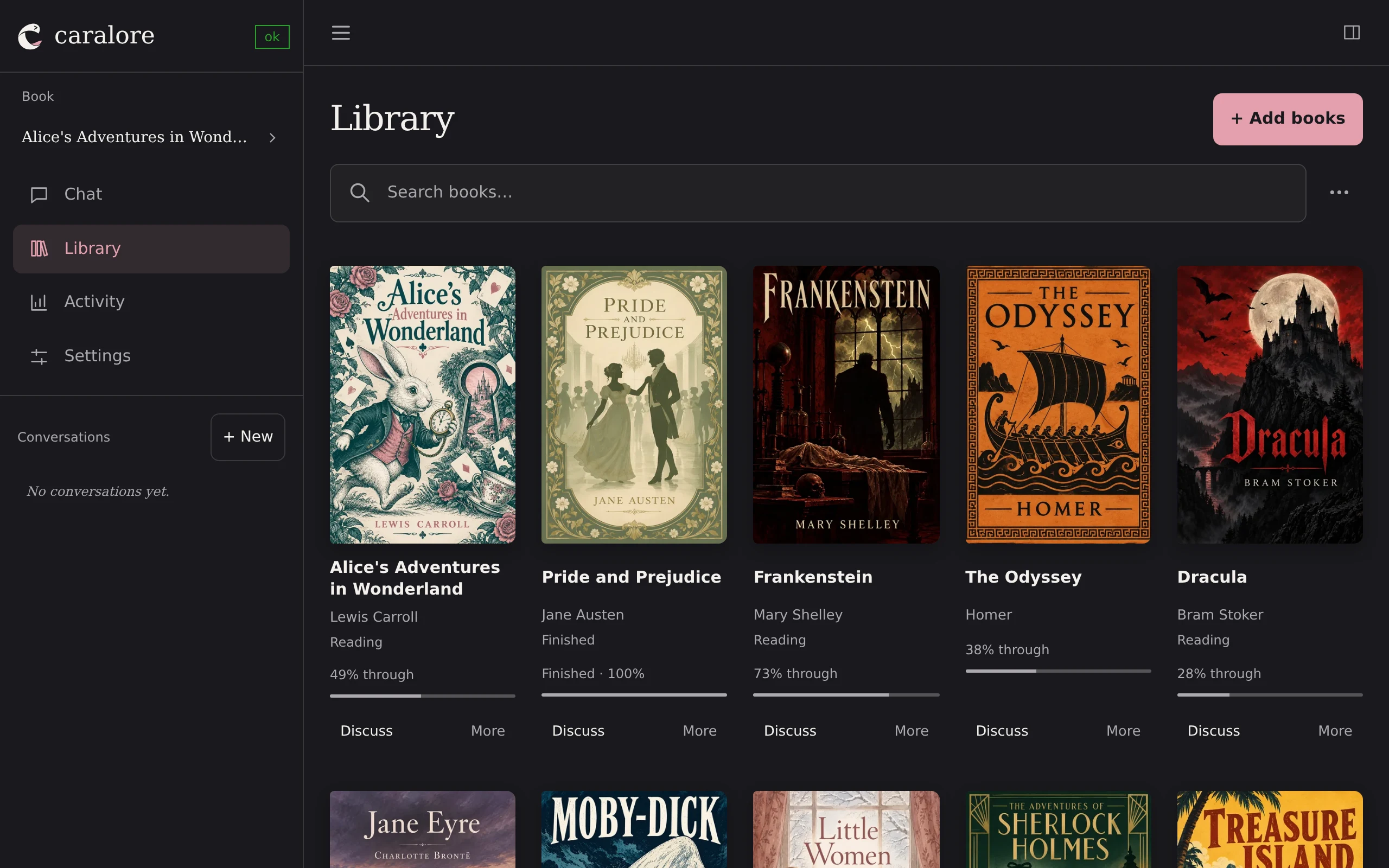
Upload EPUB, PDF, text, Markdown or HTML files, paste text, or add a Project Gutenberg or Google Drive link. Sort books into collections and see your progress in each.

  • EPUB covers are added automatically. You can also upload your own.
  • Adding a book doesn’t start any AI processing. You decide when.
A CaraLore library on desktop with ten classic books, their covers, reading states and progress.
The same library on a phone, two covers per row.
Actual app with public-domain titles · cover art generated for this demo

Book wiki

A wiki for your book, written as you read.

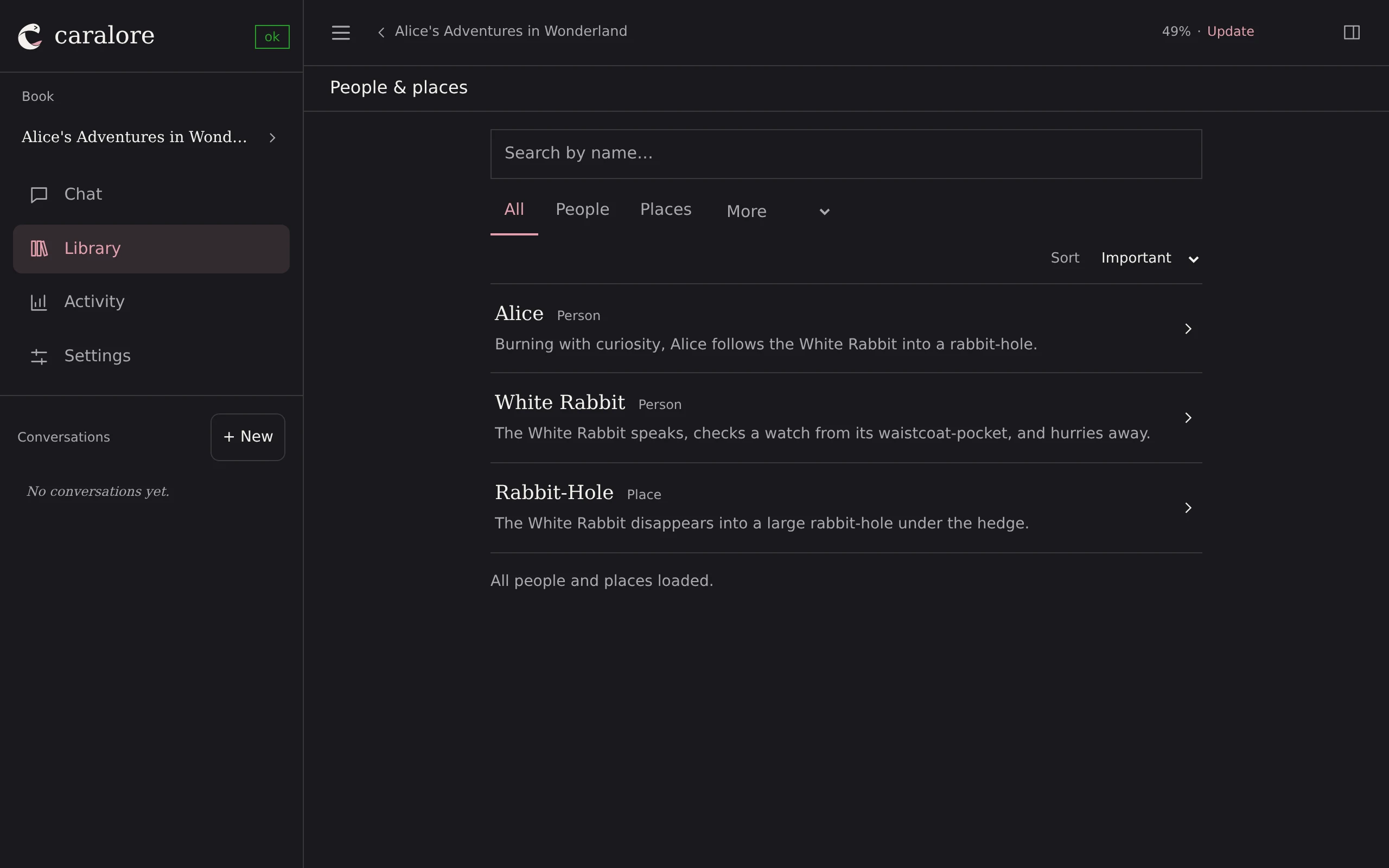
CaraLore builds a wiki of the people, places and things you’ve met so far. Each entry has an overview, a full profile with links to related entries, and a generated portrait. Nothing past your saved position is included.

  • Each fact links to the passage it came from.
  • Regenerate an entry once you’ve read further.
The People and places index on desktop listing Alice, the White Rabbit and the Rabbit-Hole.
The White Rabbit’s wiki entry on a phone, with an overview and a generated portrait.
Actual app · illustrative entry and portrait based on the opening of Alice

Scenes

See the scenes you’ve read.

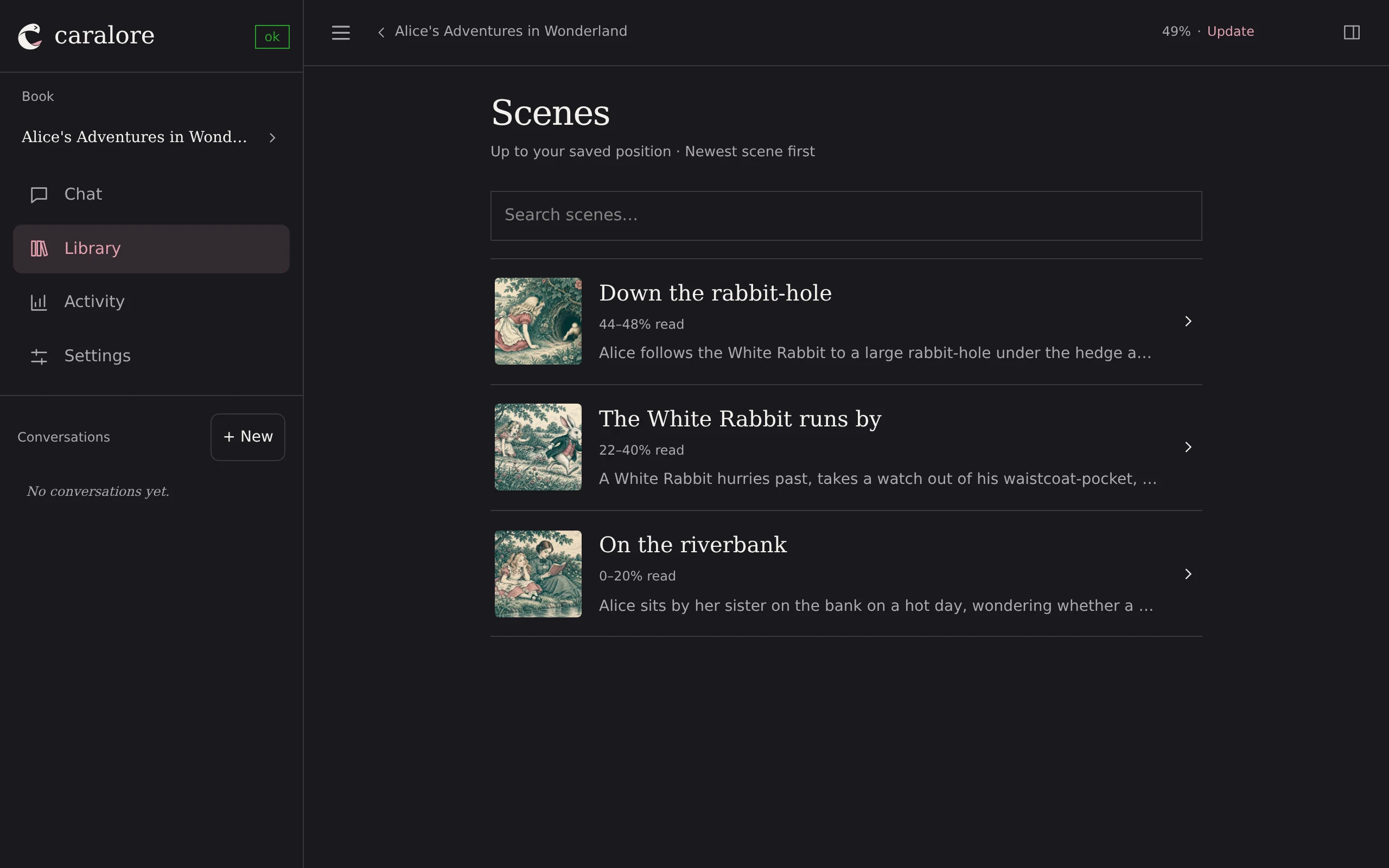
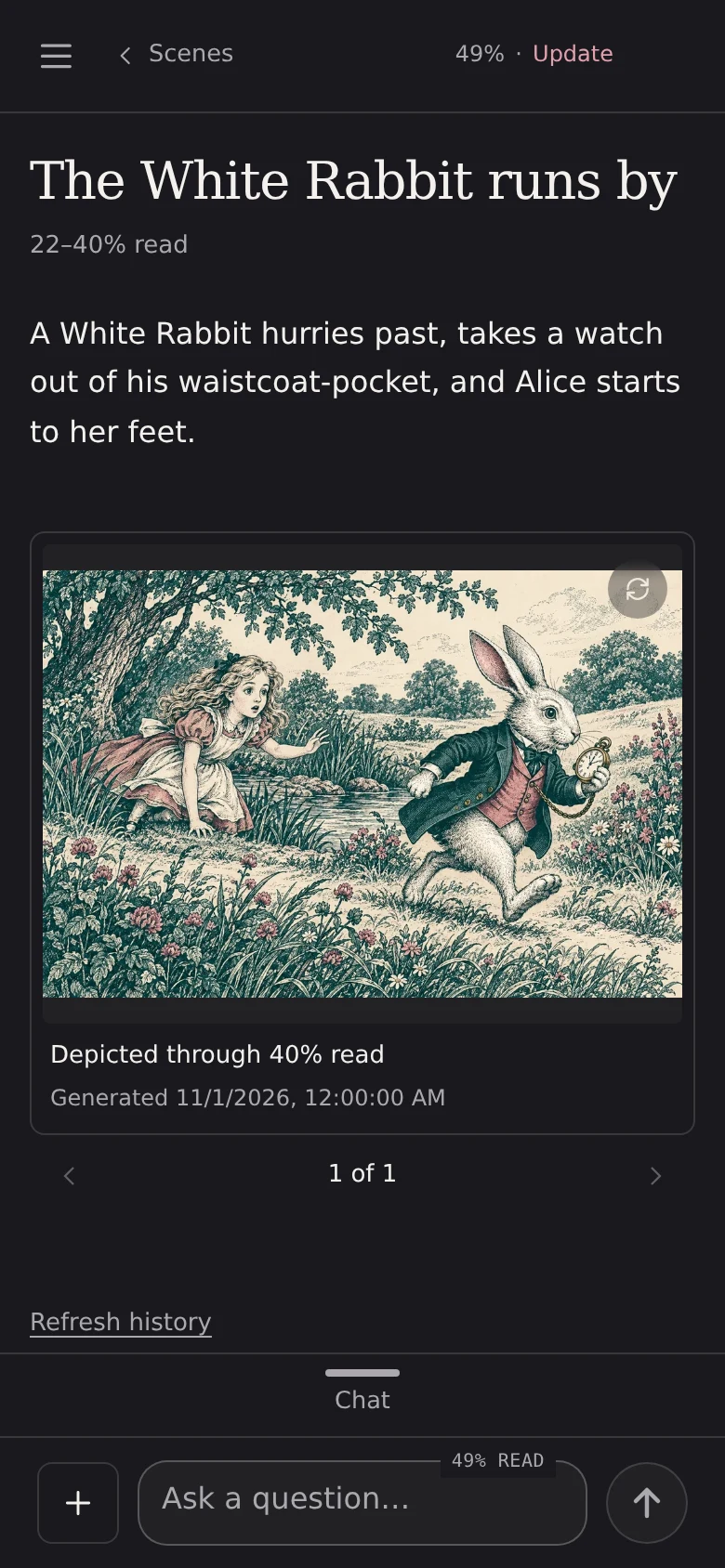
CaraLore picks out key scenes as it reads the book with you, and you can save one wherever you are. Generate an illustration for any scene, based only on the text so far.

  • Scenes are listed newest first, up to your saved position.
  • Ask Chat about a scene, or ask it to change an image.
The Scenes list on desktop with three illustrated scenes from the opening of Alice.
A scene on a phone: the White Rabbit runs by, with a generated illustration.
Actual app · illustrative scenes with images generated for this demo

Connections

Keep using the app you read in.

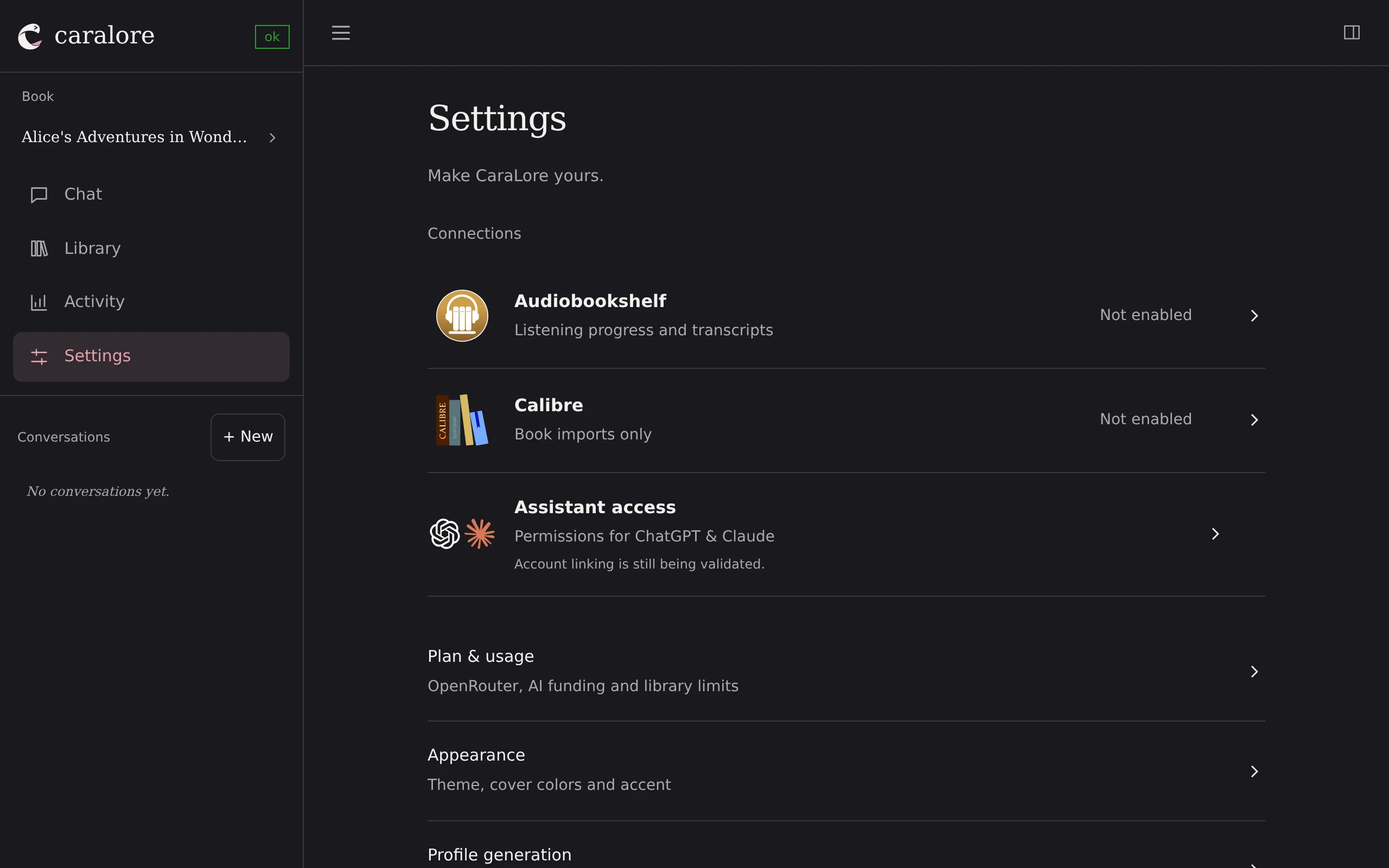
CaraLore doesn’t replace your reader. Connect Audiobookshelf to bring in listening progress and transcripts, or Calibre to import your ebooks.

  • Kavita and KOReader support is in early testing.
  • Connections are optional. You can always just tell Chat where you are.
CaraLore Settings on desktop listing Audiobookshelf, Calibre and Plan and usage.
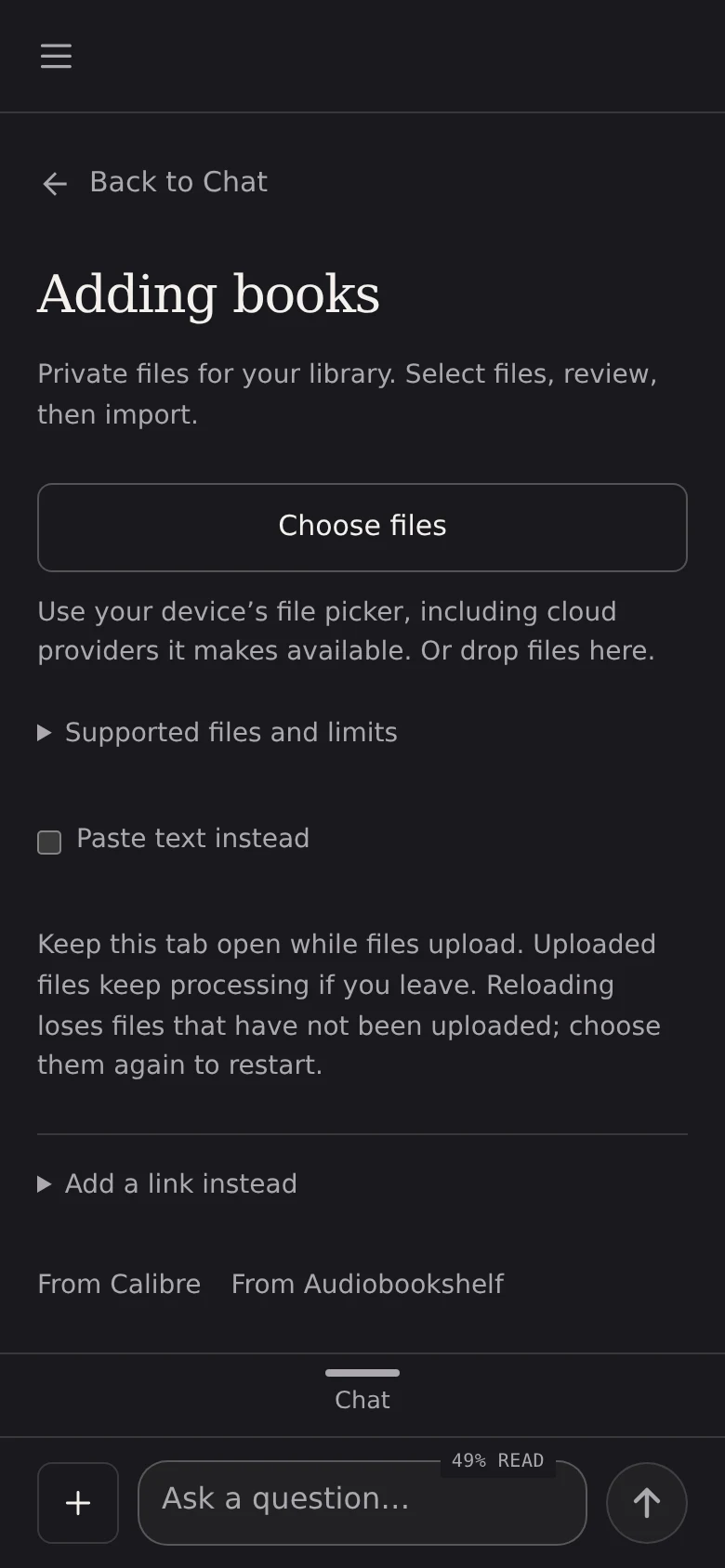
Adding books on a phone: choose files, paste text, add a link, or import from Calibre or Audiobookshelf.
Actual app on desktop and phone

Good to know

Private

Your books, notes and conversations stay in your account. Original files are stored privately and never changed.

Your own AI key

On the Free plan, AI features use your own OpenRouter account, which is billed for usage.

Reading activity

See what you’re reading, what you’ve finished and what you haven’t started. No streaks.

Export or delete

Export your books and saved progress, or delete them, whenever you like.

Phone and desktop

Designed for quick questions on your phone while you read. Manage your library on a bigger screen.

AI can be wrong

Check answers against the source notes and your saved position.

How your information is handled